Elasticsearch Indexing and Mappings for Logs, Without Blowing Up Your Cluster

The fastest way to get a working Elasticsearch cluster is to point Filebeat at it and let dynamic mapping figure out the rest. The fastest way to get a cluster stuck in a red state six months later is exactly the same thing.
This post is about the part between those two moments — indices, mappings, and lifecycle management — and the handful of decisions that determine which outcome you get.
What a mapping actually is
A mapping is the schema for an index: which fields exist, and what type each one is. Elasticsearch will create one for you automatically the first time it sees a new field — that's dynamic mapping, and it's exactly as convenient and as dangerous as it sounds.
Here's the danger. Say your application logs errors with a context object that varies by error type:
{"event": "payment_failed", "context": {"card_last4": "4242", "decline_code": "insufficient_funds"}}
{"event": "auth_failed", "context": {"attempted_username": "jsmith", "ip": "10.0.4.2"}}
{"event": "upload_failed", "context": {"file_size_mb": 812, "mime_type": "video/mp4"}}
Every distinct key under context becomes a new mapped field — context.card_last4, context.decline_code, context.attempted_username, and so on, forever. I've seen production clusters with 40,000+ mapped fields in a single index because nobody caught this early. Past a few thousand fields per index, cluster state gets large and slow to propagate, and you start seeing mapper_parsing_exception errors when two log sources disagree on a field's type (one service logs user_id as a number, another as a string — first one in wins, second one starts failing to index).
The fix: explicit mappings for anything structured, dynamic: false or a catch-all for the rest
Define the fields you actually query and aggregate on explicitly, in an index template:
PUT _index_template/app-logs
{
  "index_patterns": ["app-logs-*"],
  "template": {
    "settings": {
      "number_of_shards": 1,
      "number_of_replicas": 1
    },
    "mappings": {
      "dynamic": false,
      "properties": {
        "@timestamp": { "type": "date" },
        "level":      { "type": "keyword" },
        "service":    { "type": "keyword" },
        "message":    { "type": "text" },
        "trace_id":   { "type": "keyword" },
        "user_id":    { "type": "keyword" },
        "context":    { "type": "flattened" }
      }
    }
  }
}
Two things doing the real work here:
dynamic: falseon the top level stops Elasticsearch from auto-mapping fields it doesn't recognize — they're still stored and visible in_source, just not individually indexed. Your known fields stay fast to query; the long tail of variable metadata stops eating your mapping.type: flattenedoncontexttreats the whole object as a single field for exact-match search, instead of expanding every key into its own mapped field. You lose per-key aggregation on that object, but you keep the cluster from exploding — a fair trade for genuinely variable data.
keyword vs text, quickly
This trips up almost everyone once. text fields get analyzed — tokenized, lowercased — for full-text search; you can search error and match "Error connecting to database." keyword fields are stored exactly as sent, for exact match, filtering, and aggregation (terms aggregations, sorting). A service field should almost always be keyword — you want to filter and aggregate on it, not full-text search it. A message field should be text — you want to search inside it. Mapping service as text is why your "top 10 services by error count" aggregation returns nonsense: it's aggregating on tokens, not values.
Index lifecycle management: your indices should expire on purpose
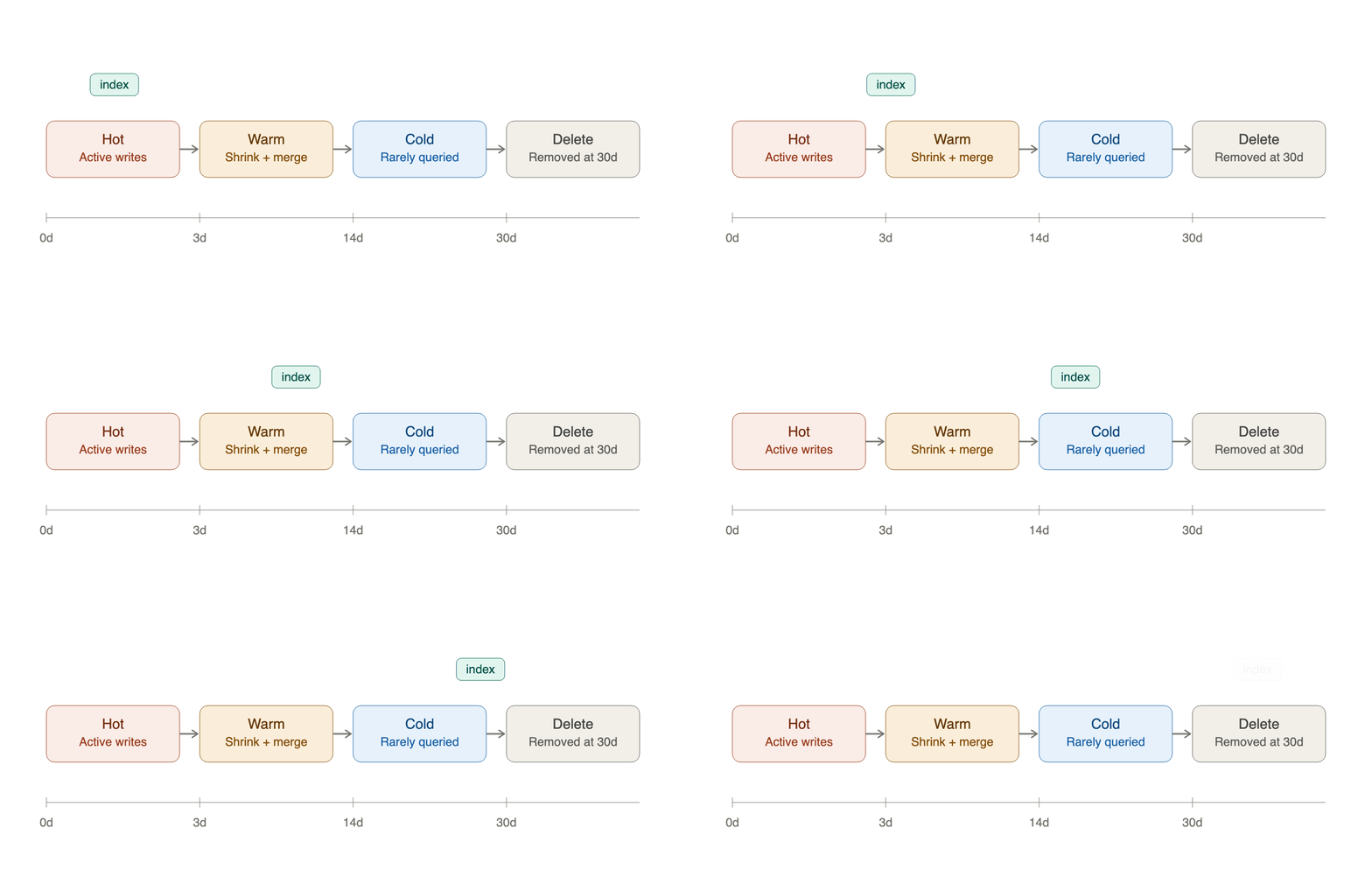
Logs are naturally time-series data, and the standard pattern is rollover into daily or size-based indices, aged through phases, and eventually deleted:
PUT _ilm/policy/app-logs-policy
{
  "policy": {
    "phases": {
      "hot": {
        "actions": {
          "rollover": { "max_size": "30gb", "max_age": "1d" }
        }
      },
      "warm": {
        "min_age": "3d",
        "actions": {
          "shrink": { "number_of_shards": 1 },
          "forcemerge": { "max_num_segments": 1 }
        }
      },
      "cold": {
        "min_age": "14d",
        "actions": { "freeze": {} }
      },
      "delete": {
        "min_age": "30d",
        "actions": { "delete": {} }
      }
    }
  }
}
Hot phase is where active writes and most reads happen — fast storage, more replicas. Warm shrinks and merges segments once you're done writing to it, since it's read-only from here. Cold reduces resource usage further for data you rarely touch. Delete removes it once it's outside whatever window your compliance or debugging needs actually require. Without an ILM policy, indices just accumulate until a disk watermark trips and the cluster stops accepting writes — usually discovered at the worst possible time.
Shard sizing: fewer, bigger shards than you think
Every shard is a Lucene index with real memory and file-handle overhead, whether it holds 1MB or 40GB. The common failure mode is too many small shards — number_of_shards: 5 left on every index by default, times a lot of small daily indices, equals thousands of tiny shards and a cluster spending more effort managing shards than serving queries.
A shard in the 10–50GB range is a reasonable target for logs. For most log volumes, that means one primary shard per daily index, not five, with rollover on size (not just time) to keep individual shards from growing unbounded during a traffic spike.
The mistakes, condensed
- Leaving dynamic mapping wide open on variable data. This is the one that gets you. Set
dynamic: falseand useflattenedfor anything with unpredictable keys. - No ILM policy. Indices grow forever until they can't.
- Over-sharding. Default shard counts times many small indices is a common way to end up with thousands of shards nobody meant to create.
textwhere you meantkeyword. If you're aggregating on it or filtering by exact value, it should bekeyword.- Ignoring disk watermarks until they trip. Elasticsearch stops allocating shards to a node past 85% disk usage by default, and stops writing entirely past 95%. Alert on disk usage before you hit those, not after.
Get the mapping and lifecycle right once, at the template level, and most of what makes Elasticsearch painful in production simply doesn't happen. Next in this series: choosing what actually ships your logs into this pipeline in the first place.